Everything about every property.
One place.
Property Command Center uses AI to help organize the property information you already have — from spreadsheets, Google Drive, Gmail, documents, maintenance records, vendors, warranties, and more.
Start with one property or import your entire portfolio. No tedious setup. No starting from scratch.
No credit card required.
Command
Good morning, Sarah
4
Properties
3
Open Tasks
2
Due This Week
1
Alerts
Your Properties
Maple Street Home
GoodLake Cabin
Needs AttentionUpcoming Tasks
HVAC filter replacement
Maple Street Home
Jun 28Gutter cleaning
Lake Cabin
Jul 02Pool service check
Lake Cabin
Jul 05Smart Setup
AI organizing your portfolio
AI-powered setup that does the busy work for you.
Your property information is probably already somewhere — in Google Drive, Gmail, spreadsheets, PDFs, warranties, invoices, maintenance records, and old notes.
Property Command Center helps turn that scattered information into an organized portfolio without making you re-enter everything from scratch.
Connect Google Drive or Gmail
Find property-related files and messages you already have.
Upload documents or paste notes
Smart Setup extracts useful property details for review.
Import your entire portfolio
Use a Google Sheet, Excel file, or CSV instead of creating properties one by one.
Review before anything is saved
You stay in control and approve what gets created.
Organize related records
Match tasks, maintenance, vendors, documents, warranties, and dates to the right property.
No silent guessing
If something is unclear, Smart Setup leaves it for your review instead of forcing a match.
How it works
Bring what you already have. Let AI organize the rest.
Go from scattered property information to an organized command center in three simple steps.
Bring what you already have
Connect Google Drive or Gmail, upload documents, paste notes, or import your existing spreadsheet.
Let AI organize it
Smart Setup identifies properties, tasks, maintenance, vendors, documents, warranties, and important dates.
Review and take control
Confirm what was found, fix anything that needs attention, and manage everything from one organized dashboard.
Built for growing portfolios
Already managing dozens of properties in a spreadsheet?
Upload your existing portfolio and Property Command Center can identify the properties, organize related records, and help match maintenance, tasks, vendors, and documents to the right location.
If something isn't clear, you can review it before anything is added. No rebuilding your portfolio one property at a time.
Your existing spreadsheet
Google Sheets · Excel · CSV
Organized in Property Command Center
Maple Street Home
Good
Lake Cabin
Needs Attention
Pine Road Condo
Good
Does this sound familiar?
If you own more than one property, you've probably asked yourself at least one of these questions this month.
“Where did I save that warranty?”
“Who fixed the HVAC last year?”
“Which contractor did we use?”
“When is the water heater due?”
“Where's the appliance manual?”
“What was the garage code?”
Property Command Center keeps all of it in one place.
The Solution
One calm dashboard for every property.
Property Command Center brings everything together — property status, tasks and repairs, recurring maintenance, trusted vendors, important documents, and alerts — in a single focused experience built for owners.
Spend less time chasing details and more time enjoying what you own.
Less searching through emails and folders
Less mental clutter and "did I forget something?"
Better visibility into every property
Fewer things slipping through the cracks
Command
Dashboard
Good morning, Sarah
4
Properties
3
Open Tasks
2
Maintenance Due
12
Documents
2 items need attention across your properties
Properties
Maple Street Home
Primary Residence
GoodLake Cabin
Vacation Home
Needs AttentionDowntown Loft
Rental Property
GoodBeach House
Vacation Home
Waiting on VendorUpcoming Tasks
HVAC filter replacement
Maple Street Home
Jun 28Gutter cleaning
Lake Cabin
Jul 02Pool service check
Beach House
Jul 05Maintenance
Quarterly HVAC inspection
Downtown Loft
Jul 10Annual roof inspection
Maple Street Home
Aug 1512 Documents
Warranties, manuals, insurance
Finally, property software
that doesn't require training.
This isn't complicated enterprise property management software. There's nothing to configure, no steep learning curve, and no manual to read. Sign up, add your properties, and start organizing in minutes — not weeks.
Set up in minutes
Add a property, create your first task, upload a document. That's it.
No training needed
If you can use a phone, you can use Property Command Center. It just makes sense.
Not enterprise software
No tenant management, rent collection, or lease tracking. Just your properties, organized.
The Outcome
Own properties.
Not more stress.
Property ownership should create freedom — not another full-time job. Property Command Center helps you spend less time chasing documents, coordinating vendors, and remembering maintenance so you can spend more time enjoying what you've worked hard to build.
Clarity for every property. More freedom for you.
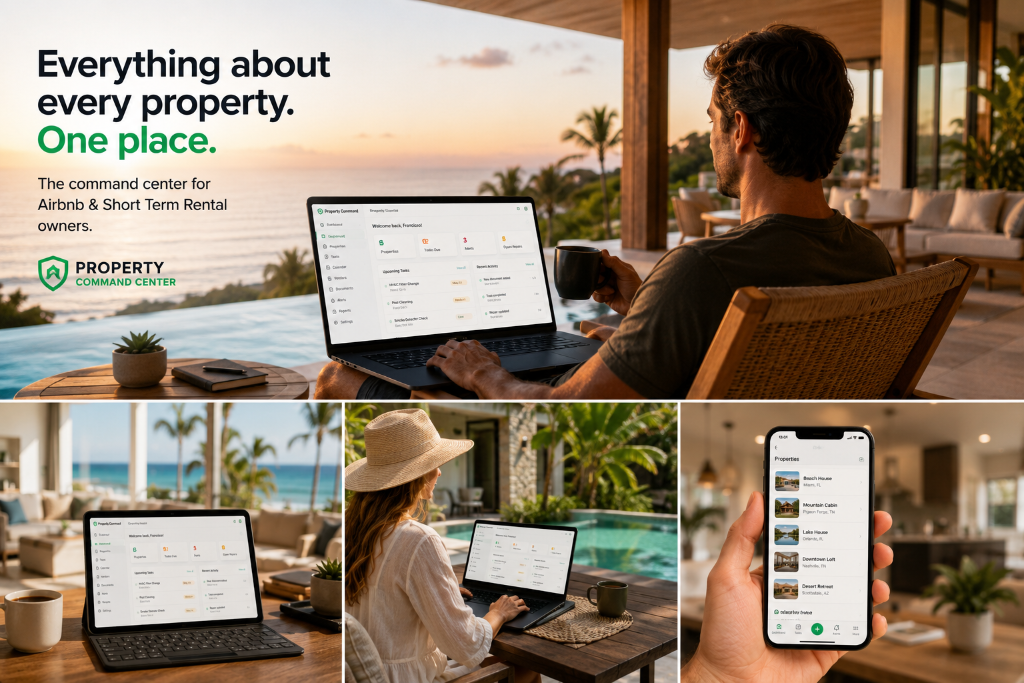
Features
Everything you need.
Nothing you don't.
One Dashboard for Everything
See every property's status, open tasks, and upcoming maintenance at a glance — no digging required.
Maintenance on Autopilot
Set recurring schedules once. Get reminded before things break, not after.
Vendor Directory
Keep your plumbers, electricians, cleaners, and contractors one click away — linked to the right property.
Document Vault
Warranties, insurance, manuals, floor plans — all findable in seconds, from anywhere.
Smart Alerts & Reminders
Know before something slips — overdue tasks, due maintenance, expiring documents.
A Hub for Every Property
Each property gets its own page with tasks, maintenance history, vendors, and documents — organized and visible.
Built for property owners who want everything in one place.
Designed with feedback from real property owners and short-term rental hosts.
Who It's For
Built for people managing more than one property.
Property Command Center is designed for owners who want a simple way to stay organized without complicated property management software.

Airbnb & Short-Term Rental Hosts
Keep cleaners, vendors, maintenance, documents, and property details organized across every stay.

Vacation Home Owners
Stay on top of maintenance, trusted vendors, documents, and reminders even when you're not there.

Self-Managing Property Owners
Manage the day-to-day details yourself without relying on scattered spreadsheets, notes, and emails.

Families With Multiple Homes
Keep every home organized in one place so important details are easy to find and fewer things slip through the cracks.
FAQ
Frequently Asked Questions
No. Property Command Center is built for owners who want a simple, organized way to manage property information themselves. It is not enterprise property management software and does not require a property manager.
Yes. You can use it for a primary residence, vacation home, short-term rental, investment property, or any combination of properties you want to keep organized.
Yes. You can keep important documents tied to each property so they are easier to find when you need them.
You can choose the Starter or Pro plan to continue using Property Command Center. There is no credit card required to start the trial.
No. The platform is designed to be simple and intuitive. Add your first property, then begin organizing tasks, maintenance, vendors, documents, and reminders at your own pace.
Pricing
Powerful enough to replace the spreadsheet habit.
Start free for 14 days. Then keep every property organized from just $9/month. No credit card required to try it.
Founding Pro — $10/month for our first 100 paying customers.
Get the full Pro experience for $10/month and keep that founding rate for as long as your subscription stays active. You help shape PCC early; we reward you with our best rate.
Starter
Best for owners managing 1–3 properties.
- Up to 3 properties
- Tasks, repairs & maintenance
- Document vault & reminders
- Vendor directory
- Property Timeline
- Smart Setup for uploads & pasted info
14 days free · No card needed
Pro
Most PopularBest for owners who want PCC to organize an entire portfolio — not just store it.
- Unlimited properties
- Everything in Starter
- Portfolio spreadsheet import
- Smart Inbox
- Google Drive & Gmail import
- Property Manager AI
14 days free · No card needed

Stop searching. Start knowing
where everything is.
Every property, organized. Every detail, visible. Every task, tracked. Join owners who stopped reacting and started staying ahead.
No credit card required. Cancel anytime.